



|
Name |
Capcut 18.4.0 |
|---|---|
|
Category |
Video Players & Editors |
|
Developer |
Bytedance Pte. Ltd. |
|
Updated |
|
|
Compatible with |
Android 5.1+ |
Table of Contents
1 Information of Capcut 18.4.02 What is CapCut 18.4.0 APK?3 Main Features of CapCut3.1 Timeline Editing, Trimming, and Motion Controls3.2 Automatic Captions and Creative AI Tools3.3 Text, Filters, Effects, Music, and Audio4 How Video Editing Works in CapCut4.1 Building a Project4.2 Working With Multiple Layers4.3 Exporting Finished Videos5 CapCut 18.4.0 APK for Android Content Creation6 Advantages and Limitations6.1 Where CapCut Works Well6.2 Things to Keep in Mind
What is CapCut 18.4.0 APK?
CapCut 18.4.0 APK is an Android video editing app built for creating short clips, social media videos, presentations, personal projects, and other visual content directly on a mobile device. Its editing workspace combines a timeline with accessible controls, allowing beginners to handle common tasks without learning complicated desktop editing software.
Users can trim footage, split or combine clips, change playback speed, add transitions, insert text, work with music, and apply filters or visual effects. Projects can range from a few-second vertical video to longer edits containing multiple clips, audio tracks, captions, and effects.
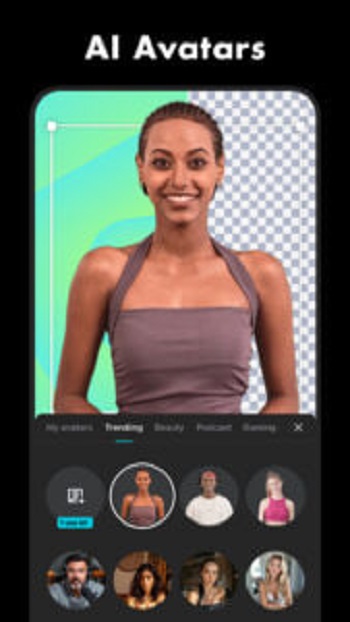
CapCut also provides more advanced tools such as keyframe animation, chroma key, stabilization, smooth slow motion, motion tracking, and a multi-track timeline. Intelligent features including automatic captions, text-to-speech, and background removal can reduce the amount of repetitive work involved in common editing tasks.
The 18.4.0 release focuses partly on fixing known issues and improving the trimming experience. This is especially relevant for users who frequently cut longer recordings into shorter scenes before arranging them on the timeline.
Main Features of CapCut
Timeline Editing, Trimming, and Motion Controls
The timeline is the center of the editing process. Clips can be shortened, split into separate pieces, combined with other footage, or rearranged until the sequence follows the intended story. A multi-track layout also helps organize more complicated projects containing several visual and audio elements.
Speed tools support both basic playback changes and speed curves for more controlled acceleration or slow-motion sequences. Users can create freeze moments, apply zoom effects, and place transitions between scenes without moving the project to another editing application.
For edits that require more precise movement, keyframes can control animation over time. CapCut also includes stabilization for reducing unwanted camera movement and chroma key tools for removing selected colors from footage.
Automatic Captions and Creative AI Tools
Automatic captions can turn spoken audio into subtitles, reducing the need to type every sentence manually. This is useful for tutorials, interviews, educational clips, product videos, and social posts where viewers may watch without sound.
Text-to-speech provides another way to add narration by converting written text into spoken audio. Background removal can separate a subject from the surrounding scene, while motion tracking can help visual elements follow movement inside a clip.
These tools do not replace manual editing in every situation, but they can shorten workflows that would otherwise require several separate steps. Users can still adjust the generated results directly on the timeline when additional control is needed.
Advertisement
Text, Filters, Effects, Music, and Audio
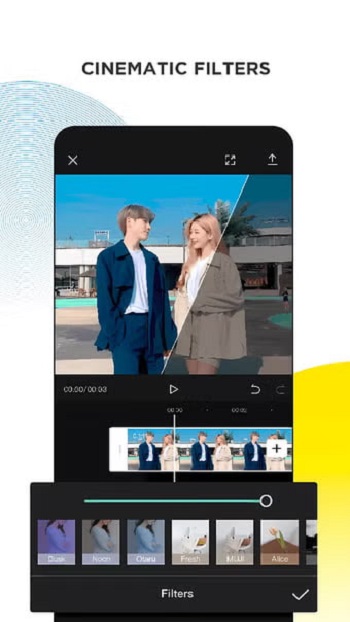
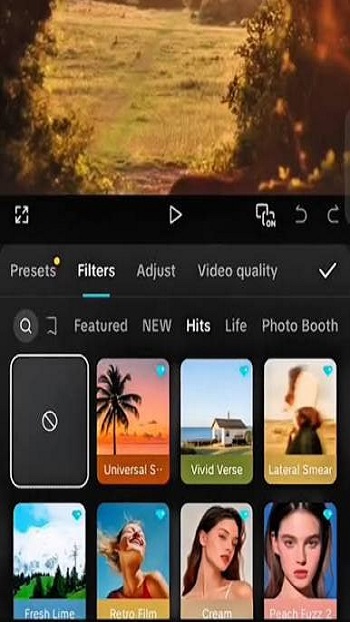
CapCut includes text styles, fonts, text templates, stickers, filters, transitions, and visual effects that can be combined with regular footage. Imported fonts are also supported, giving creators additional control over titles, labels, subtitles, and other typography used throughout a project.
Visual adjustments cover practical controls such as brightness and contrast alongside creative filters and effects. These options are useful when several clips were recorded in different lighting conditions or when a project needs a consistent visual style.
Audio can be added from music and sound-effect resources, while audio may also be extracted from existing video clips. This makes it possible to reuse dialogue, recordings, or other sound from source footage without maintaining the original video layer.
How Video Editing Works in CapCut
Building a Project
A typical project begins by selecting videos or images and placing them on the timeline. The editor can then remove unwanted sections, split longer recordings into smaller scenes, reorder clips, and adjust their duration.
After the basic sequence is complete, transitions, speed changes, animations, text, captions, filters, or audio can be added. Because these elements remain visible within the timeline, creators can return to earlier sections and change individual pieces without rebuilding the entire project.
Working With Multiple Layers
More detailed edits can combine footage, overlays, text, subtitles, audio, effects, and animations. The multi-track timeline helps keep these elements separated while still showing how they line up in time.
This structure is particularly useful for product showcases, instructional videos, reaction-style edits, promotional clips, and short-form content where several visual elements may appear within a few seconds. Keyframes and motion tools provide additional control when static placement is not enough.
Exporting Finished Videos
Once an edit is complete, users can adjust output settings before exporting. CapCut supports selectable export resolution and includes support for high-resolution output, including 4K at up to 60 frames per second where the project and device support it.
Higher output settings can require more processing power and storage than basic clips. Projects containing numerous effects, layers, high-resolution recordings, or advanced processing may therefore take longer to render on less powerful Android devices.
CapCut 18.4.0 APK for Android Content Creation
CapCut fits several types of mobile content workflows because basic and advanced tools are available in the same editor. A user preparing a short social clip can rely on trimming, captions, music, and transitions, while a more detailed project can use keyframes, multiple tracks, chroma key, stabilization, and motion effects.
Advertisement
For short-form creators, the combination of vertical video editing, automatic captions, text, effects, speed controls, and music makes it practical to prepare content for platforms such as TikTok, Instagram, YouTube, Facebook, and other social channels. Creators can cut long recordings into highlights while keeping captions and visual elements synchronized with each scene.
The same tools can also support work outside social media. Students can assemble class presentations, teachers can prepare instructional clips, freelancers can edit client material, and small businesses can create product demonstrations or promotional videos. Personal projects such as travel footage and family recordings can use the same timeline without requiring a different workflow.
Some creative resources and advanced services may depend on network access or account and subscription availability. Users working with large files should also consider device performance, available storage, video resolution, and the number of active layers when planning more complex edits.
Advantages and Limitations
Where CapCut Works Well
CapCut provides a broad range of editing functions without forcing users to move between several applications for basic video, audio, text, caption, and visual tasks. The interface is suitable for quick edits while still providing tools such as keyframes and multi-track editing for projects that require finer control.
- Trim, split, merge, and rearrange video clips.
- Adjust playback speed and create speed curves.
- Create automatic captions and text-to-speech audio.
- Use background removal, stabilization, chroma key, and motion tools.
- Add fonts, text, stickers, filters, transitions, music, and effects.
- Organize complex edits with a multi-track timeline.
- Export projects using selectable output settings.
Things to Keep in Mind
The performance of a mobile editing project depends heavily on the phone and the complexity of the timeline. High-resolution source files, numerous effects, long projects, and several simultaneous layers can demand considerably more processing power than a simple trimmed clip.
Some resources and functions can also depend on an internet connection or paid access. Users who mainly need basic cutting, text, music, captions, and transitions can keep their workflow relatively simple, while advanced projects may require more storage, processing time, and careful timeline organization.
FAQs Capcut 18.4.0
What is Capcut 18.4 0 APK?
+
Capcut 18.4 0 APK is an Android video editing application that lets users edit, trim, combine, and customize videos with templates, effects, music, and text tools.
Does Capcut 18.4 0 APK support AI editing features?
+
Yes. Depending on the available version and device compatibility, it offers AI-powered features such as automatic captions and background removal.
Can I use Capcut 18.4 0 APK without editing experience?
+
Yes. The interface is beginner-friendly, with simple controls, ready-made templates, and guided editing tools that are easy to understand.
Does Capcut 18.4 0 APK require an internet connection?
+
Many editing features work offline, but downloading templates, syncing cloud content, and accessing some AI tools usually requires an internet connection.
Who is Capcut 18.4 0 APK suitable for?
+
It is suitable for content creators, students, teachers, business owners, and casual users who want a convenient way to edit videos directly on an Android device.
Discover More Interesting Apps
-
 Mod
Mod
invideo AI
v4.5.62
186.89 Mb
Updated -
Tracket Motion
v0.9.44
144.80 Mb
Updated -
Mod
KwaiCut
v7.47.0.747164
196.52 Mb
Updated -
Mod
PrettyUp
v7.9.0
236.47 Mb
Updated -
Mod
PowerDirector
v16.7.4
248.57 Mb
Updated -
Mod
PLAYit
v2.7.53.16
26.72 Mb
Updated -
Mod
Videoleap
v1.40.1
88.20 Mb
Updated -
Mod
Node Video
v9.0.3
142.93 Mb
Updated -
Kwai
v13.9.10.646803
7.21 Mb
Updated -
Snack Video
v13.9.10.646803
69.52 Mb
Updated










Share Your Thoughts